PHP Vulnerability: Your Site Is Probably Patched — Here’s How to Be Sure
If you run a website in India, yesterday was noisy. European government portals went dark on purpose. Hosting companies sent emails at midnight. And somewhere in the middle of it, a WhatsApp forward probably told you your site was about to be hacked.
Here is the calmer version. A critical PHP vulnerability — two of them, actually — was patched in an emergency release on 21 October 2026. If your site sits on managed shared hosting from a mainstream provider, your host almost certainly fixed this for you while you slept. If you run your own VPS, today is a working day.
We checked our own site before writing this, got the answer wrong, and had to correct ourselves. That correction is the most useful part of this article, so stay for it.
Table of Contents
What this PHP vulnerability actually is
PHP is the language behind about 69% of all websites whose server-side language is known, according to W3Techs — WordPress among them. It is not a plugin or a theme. It is the engine underneath, which is why a PHP vulnerability matters more than the usual plugin scare.
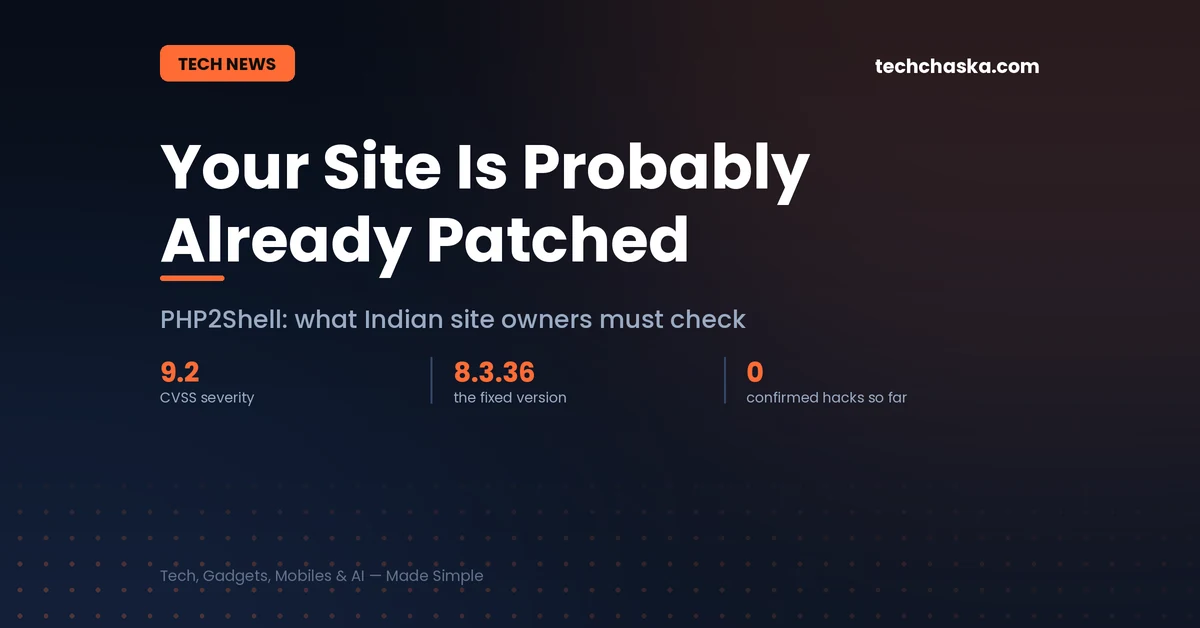
The two flaws are tracked as CVE-2026-109618 and CVE-2026-109619. CERT-EU scored both at 9.2 out of 10 on CVSS v4.0. Researchers nicknamed the pair PHP2Shell, and the name stuck fast enough that attackers started using it in their own request headers.
In plain terms, both bugs involve PHP getting confused about its own memory. The first one happens when PHP runs out of memory part-way through setting up a request — the cleanup process can then treat half-finished, invalid data as if it were real. The second leaves internal state lying around after the memory holding it has been released, so a later visitor’s request handled by the same worker process can pick up stale data that no longer belongs to it.
What makes this a serious PHP vulnerability rather than a bug report is the consequence: in the right conditions, an attacker who has never logged in to anything can get the server to run their code. No password, no account, no plugin required. On Apache setups using mod_php, a working demonstration showed a single unauthenticated request triggering it before any WordPress code loads at all. The PHP developers themselves rate mod_php as the highest-risk configuration.
Every way of serving PHP over the web is affected in principle — PHP-FPM, mod_php, php-cgi, FrankenPHP and LiteSpeed. The fix landed in PHP 8.5.12, 8.4.27, 8.3.36 and 8.2.35. PHP 8.1 and older are past their support window, though the security team did publish source-only backports for 7.4, 8.0 and 8.1 for people who build PHP themselves.
One piece of good news that got lost in the noise: WordPress itself needs no update. There is no plugin to install and no core patch to apply. The fix is entirely at the PHP level, which means it is your host’s job, not yours — unless you are your own host.
Why your dashboard version number may be lying to you
This is the part that tripped us up, and it is the single most misunderstood thing about this PHP vulnerability.
Shared hosting companies rarely run PHP straight from php.net. They run vendor-built packages — CloudLinux’s alt-php family is the common one in this market — and those vendors routinely take a security fix and graft it onto their existing build without changing the version number. The result is a server that is genuinely patched while still reporting an older version.
So “my dashboard says 8.3.35, not 8.3.36, therefore I am exposed” is not a valid conclusion. Neither is the reverse. The version string simply does not settle the question on shared hosting, and anyone telling you to urgently switch PHP branches on that number alone is giving you advice that could break your site for no security benefit.
If your host backported the fix into their 8.3.35 build, jumping to a different PHP branch in a panic is the riskier move. Older themes and plugins break on version jumps, and the PHP vulnerability fix does not require one.
How to check your site for the PHP vulnerability in two minutes
Three steps, in this order. Do not skip to step three.
Step 1: Find out what you are actually running
In your WordPress dashboard, go to Tools → Site Health → Info and open the Server section. You want three lines: PHP version, PHP SAPI, and Web server. The SAPI line is the one most people ignore and it matters most — it tells you whether you are on litespeed, fpm-fcgi, apache2handler (that is mod_php, the highest-risk one) or cgi-fcgi.
Write all three down. You will need them if you have to open a support ticket about the PHP vulnerability.
Step 2: Ask your host, and accept their answer
Because of the version-number problem above, your host’s status page is more authoritative than your own dashboard. Check it first, then the email they sent you, then raise a ticket if neither says anything. The question to ask is specific: “Has the 21 October PHP security release for CVE-2026-109618 and CVE-2026-109619 been applied to the server my account sits on?” Not “am I safe” — that gets you a copy-paste reply.
Step 3: Check whether you are behind a firewall too
If your site runs through Cloudflare, their WAF rules for this went out to every plan, free tier included. On the paid tiers, open your managed rules and confirm they are set to block rather than log-only — logging an attack is not stopping it. Servers running CloudLinux’s Imunify360 picked up ruleset 8.83, which blocks the publicly circulating exploit shape.
Be clear-eyed about what this buys you. Both of these are virtual patches. They recognise the shape of the known attack, so a variant nobody has seen yet may walk straight through, and an attacker who reaches your server directly bypasses the CDN entirely. A firewall is a reason to stop panicking about this PHP vulnerability, not a reason to stop patching.
Where Indian hosting providers stand on the PHP vulnerability
We went looking for public advisories rather than relying on summaries. Here is what we could and could not confirm as of this morning.
Hostinger published a detailed advisory on the evening of 21 October. They say they have installed the PHP fix on every server across every plan except VPS, switched session.upload_progress off on LiteSpeed and other configurations, pushed ModSecurity rules in deny mode rather than log-only, and started rejecting malformed upload requests at the platform level. Managed customers need to do nothing. VPS customers are on their own.
GoDaddy published guidance but, as far as we can tell, did not state plainly what it had patched. If you are there, ask support directly and insist on a specific answer.
SiteGround, WP Engine and DreamHost were reported as protected at the server or CDN layer with package rollouts following behind. Kinsta, Cloudways and Namecheap were mid-rollout. Pantheon, OVHcloud and InMotion had finished.
BigRock, MilesWeb and the other India-first hosts — we could not find public advisories from any of them. That is not an accusation of negligence; smaller hosts often patch quietly and tell you by email rather than blog post. But it does mean a support ticket is the only way you will know, and you should send one today rather than assume.
If you resell hosting or run client sites, this is the awkward part: the PHP vulnerability needs an answer per host, not per client.
If you run a VPS, this is your problem today
Everything above is about managed hosting, where somebody else carries the risk. On a VPS, cloud instance or self-managed server, nobody is coming. Update PHP to a fixed version and restart PHP — not just reload the web server, because every worker process has to come back on the patched build. A patched package with old workers still running is the failure mode people are quietly hitting.
If you genuinely cannot update within the hour, the PHP project’s stopgap is to set session.upload_progress.enabled = 0 and restart. That closes one attack path on CVE-2026-109619 and nothing on the other one, and WordPress does not use the feature, so switching it off costs you nothing. Treat it as buying an afternoon, not as a fix.
The UK’s NCSC went further and said that systems which cannot be patched or mitigated quickly should be considered for going offline. CERT-EU suggested isolating internet-facing applications from public networks where immediate patching is not feasible. That is the advice several European public bodies acted on — Finnish government services, the Dutch parliament, Dutch cybersecurity and data protection authorities, and the privacy group noyb all pulled sites down as a precaution. Not because they were breached. Because they did the arithmetic on an unauthenticated PHP vulnerability and decided that a dark site beats a compromised one.
Has anyone actually been hacked through this PHP vulnerability?
This is where most coverage overreaches, so we will be precise.
Exploitation attempts were observed in the wild on 21 October. watchTowr’s honeypot network picked up traffic carrying “php2shell” in the User-Agent string, running what appeared to be hastily assembled proof-of-concept code. As of their reporting, none of those attempts had succeeded. Their researcher Jake Knott put it bluntly — “nobody has been successful to date” — while adding that he did not expect it to stay that way.
So: attempts, yes, confirmed and widespread. Successful compromises, not yet publicly reported. Those are different things, and “millions of sites hacked” headlines are not describing anything that has been established.
That gap exists because this PHP vulnerability depends on memory conditions that are fiddly to hit reliably on a stranger’s server. Fiddly is not impossible, and the window between “fiddly” and “scripted” historically closes in days, not months. Which is why the patch matters even though nobody can point to a victim yet.
To check whether your own site was hit before the patch landed, your host’s access logs are the place to look — and your host can read them better than you can. Ask whether anything in the hours before their patch matched the exploit pattern.
The Honest Fine Print
We got this wrong on our own site first. We opened Site Health on TechChaska, saw PHP 8.3.35 against a fixed version of 8.3.36, and concluded we were exposed. That was wrong, or at least unproven — we had not yet read Hostinger’s advisory, and we had not accounted for backported builds keeping their old version number. We wrote the conclusion before we did the reading. If this article is useful to you, it is partly because we made the mistake we are warning you about.
We still cannot fully verify our own status. Hostinger says managed plans are patched. Our dashboard says 8.3.35. Both can be true. We have not independently confirmed which build is running, and we are not going to pretend otherwise in an article telling you to demand specific answers from your host.
The host list above has a shelf life measured in hours. It reflects public statements as of the morning of 22 October. Rollouts were actively in progress when we wrote it. Treat every “in progress” entry as probably finished by the time you read this, and verify rather than trusting our table.
Some early reporting contradicted itself. One widely cited security FAQ simultaneously listed the vendor patch as available and stated that no fixed version existed, because it was being updated live during the incident. That is what breaking security news looks like from the inside. If a detail here matters to a decision you are making, check the primary source.
We are not a security firm. This is a consumer tech site explaining a server-side issue in plain language. If you run infrastructure handling other people’s money or health data, your incident response should not come from a blog — ours included.
Frequently Asked Questions
Do I need to update WordPress to fix the PHP vulnerability?
No. WordPress.org confirmed no core update is required. The fix lives in PHP itself. Keeping WordPress and your plugins current is good practice for other reasons, but it does nothing about this particular PHP vulnerability.
My host says 8.3.35 and the fix is 8.3.36. Am I vulnerable?
Unknown from that information alone, and probably not. Shared hosting providers commonly backport a PHP vulnerability fix into their existing builds without bumping the version number. Ask your host whether the 21 October release has been applied to your server, and do not switch PHP branches on the strength of the number.
Should I take my website offline?
Almost certainly not, if you are on managed shared hosting from a mainstream provider. That advice was aimed at organisations running their own unpatched internet-facing servers. Going dark has real costs and, for a patched shared-hosting site, no benefit.
Is my data or my readers’ data at risk?
If a server were successfully compromised through this, anything that server could reach would be at risk, including the database. No successful compromises have been publicly confirmed so far. If you handle personal data and your host confirms your server was unpatched and exposed for a period, that is the point at which you should take breach-notification obligations seriously rather than wait and hope — the same reasoning we applied to the Bank of Baroda data breach.
What about PHP 7.4 or 8.1 sites?
Those branches are out of official support, but the security team released source-only backports for 7.4, 8.0 and 8.1. On shared hosting, your provider’s vendor may ship patched builds for old versions — Hostinger says its vendor committed to builds covering 5.2 through 8.5. Longer term, being on PHP 8.1 or older is its own standing problem, and this incident is a reasonable prompt to plan the move.
How do I find out if my host patched, if they have not said anything?
Open a ticket naming both CVE numbers and the 21 October release date, and ask whether it has been applied to the specific server your account is on. Vague questions get vague answers. If you get a non-answer twice, that tells you something about the host worth acting on separately.
What to actually do about the PHP vulnerability today
On managed shared hosting: check your host’s status page, confirm the patch, get on with your day. You are very likely covered already, and the useful outcome of this PHP vulnerability is that you now know where your host’s status page lives and what your Site Health screen says.
On your own server: patch, restart PHP, verify the workers came back on the new build, then read your logs.
And if you are the person your family asks about these things — for anyone who merely uses websites rather than running one, there is nothing to do. No passwords to rotate, no apps to update. This PHP vulnerability lands on the people who keep the lights on, a far smaller group than yesterday’s headlines suggested.
We cover this kind of gap between headline and instruction fairly often — see also India’s AI content rules, which already apply to anyone publishing online here, and our test for whether festive sale discounts are real. The pattern repeats: the scary version travels further than the useful version.
Sources
- The Register — fixed versions, affected SAPIs, mod_php risk rating, organisations taking sites offline
- Hostinger — its own patch and mitigation status
- UK NCSC — technical description of both CVEs and recommended actions
- Codeable — WordPress-specific guidance and host-by-host status
- watchTowr — in-the-wild exploitation attempts
- CloudLinux — Imunify360 ruleset 8.83 and alt-php status
- Help Net Security — fixed versions and source-only backports
- Patchstack — CVSS scoring and disclosure timeline